


Choosing between integrated Vs dedicated graphics is one of the most misunderstood laptop buying decisions. Get it wrong, and you overpay for unused capability, or hit workflow limits within weeks. This guide gives you a framework to make the right call.
The Graphics Decision Most Buyers Get Wrong
Why Paying for a Dedicated GPU You Don’t Need Is the Most Common Laptop Mistake
Most buyers assume more graphics power is always better. A dedicated GPU adds cost, weight, heat, and fan noise, delivering zero benefit for many users. Overpaying for unused GPU headroom is one of the most common laptop buying mistakes.
And Why Skimping on Graphics for the Wrong Workload Is Just as Costly
The opposite is equally damaging. A video editor or serious gamer who buys an integrated-graphics ultrabook will hit bottlenecks that a mid-range dedicated GPU would eliminate.
The Core Question Most Buyers Never Actually Ask Before Choosing
The right question is not which GPU is superior; it is what your daily workload demands from graphics hardware.
Understanding Integrated Graphics: What It Is and How It Actually Works
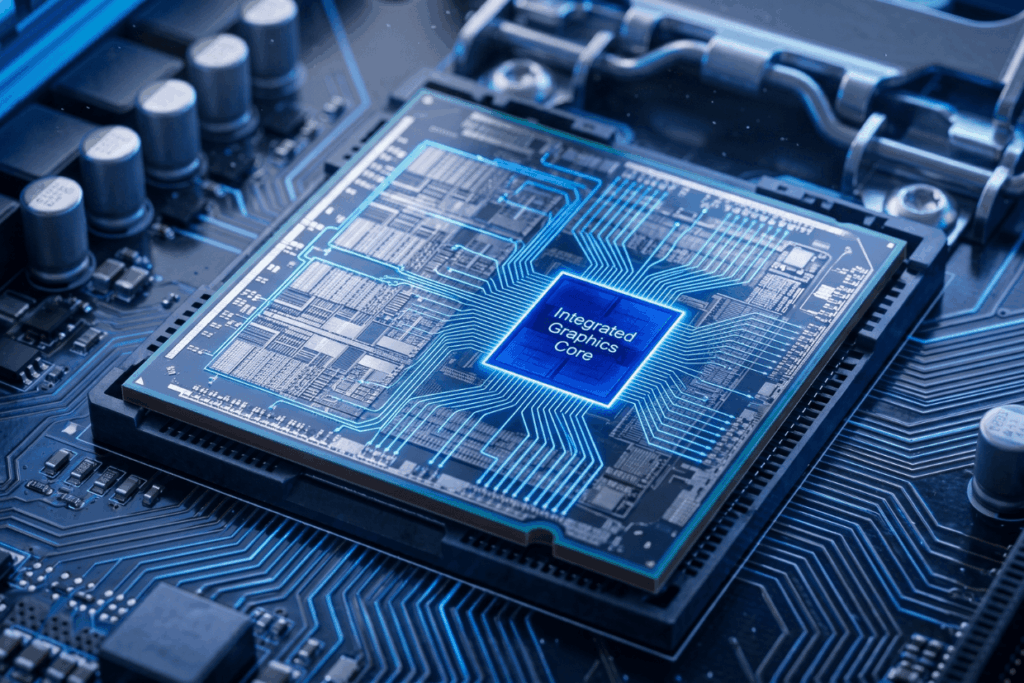
How Integrated Graphics Shares Resources With Your CPU
What “Shared Memory” Means in Practice, and Why It Matters
Integrated graphics (iGPU) lives on the same chip as the CPU and draws from system RAM, so heavy GPU tasks compete with the CPU for memory bandwidth.
The Role of System RAM in Integrated Graphics Performance
Integrated graphics perform significantly better with dual-channel RAM, a detail most spec sheets omit and most buyers miss.
How Far Integrated Graphics Has Come: Modern iGPU Capabilities in 2024–2025
Intel Iris Xe vs AMD Radeon 780M: A Realistic Side-by-Side
AMD’s Radeon 780M, found in Ryzen 7000-series chips, handles light gaming, 1080p playback, and casual editing at acceptable frame rates. Intel Iris Xe remains capable for everyday workloads. For most Singapore use cases, remote work, student productivity, online content, modern iGPU are sufficient.
Apple Silicon’s Unified Memory Architecture: Why It Sits in Its Own Category
Apple M-series chips use unified memory on a single high-bandwidth bus, making iGPU performance disproportionately strong for the power envelope, particularly in Final Cut Pro.
What Integrated Graphics Does Well: and Where It Hits a Hard Ceiling
Integrated graphics handles web browsing, documents, 4K playback, and casual editing without strain. Its ceiling appears at scale: 3D rendering, video encoding, gaming at medium-or-above, and AI training.
Understanding Dedicated Graphics: What Sets It Apart

How a Discrete GPU Operates Independently of the CPU
What VRAM Is, Why It’s Separate, and How Much You Actually Need
A dedicated GPU has its own VRAM, optimised for parallel graphics workloads. For 1080p gaming, 6–8GB is the 2025 minimum. 4K video editors need 8–12GB; machine learning at scale requires 16GB or more.
GPU Architecture Basics: Why Two “Dedicated” Cards Can Perform Very Differently
An RTX 4060 in a 15W chassis and the same chip in a 100W chassis share a name but differ by up to 40% in sustained performance, a gap spec sheets rarely show.
The Performance Ceiling Dedicated Graphics Unlocks: and What It Costs to Get There
A mid-range dedicated GPU roughly triples gaming performance over iGPU, and in DaVinci Resolve, GPU-accelerated encoding cuts 4K export times by 60–80%, but with shorter battery life, more weight, and louder fans.
Laptop vs Desktop Dedicated GPUs: The Performance Gap That Rarely Gets Mentioned
A laptop RTX 4070 typically performs closer to a desktop RTX 4060; thermal constraints force lower power limits. Always check sustained benchmark data, not burst figures.
Integrated vs Dedicated Graphics : The Real Trade-Offs, Task by Task
Everyday Use: Web Browsing, Office Applications, and Video Streaming
Does a Dedicated GPU Make Any Difference Here? (The Honest Answer)
No. Web browsing, documents, spreadsheets, video calls, and 4K streaming run on integrated graphics without any perceptible difference. For Singapore students, a device with a strong iGPU and longer battery life is the smarter choice.
Photo Editing: Casual Lightroom Users vs High-Volume Professional Workflows
Where GPU Acceleration Starts to Matter in Editing Software
Casual editing is CPU-bound with no meaningful GPU benefit. Professional workflows involving AI masking and large RAW files benefit from a discrete GPU.
Video Editing: The Workload Where the Divide Becomes Undeniable
GPU-Accelerated Encoding in Premiere Pro, DaVinci Resolve, and Final Cut
All three platforms use GPU acceleration for previews and encoding. On integrated graphics, 4K timelines with colour grading become choppy, a friction that compounds weekly. A mid-range dedicated GPU changes this fundamentally.
What Happens When You Try to Edit 4K or 6K Footage on Integrated Graphics
Gaming: Casual Titles, Competitive Play, and AAA Open-World Games
Games That Run Fine on Integrated Graphics (And the Settings You’ll Need)
League of Legends, Valorant, and Counter-Strike 2 run acceptably on modern iGPU at low-to-medium settings. For casual gaming in Singapore, integrated graphics is a viable starting point.
Where Dedicated Graphics Becomes Non-Negotiable for Gamers
Any AAA title released after 2022 at medium or above requires a discrete GPU, at least 8GB VRAM for 1080p at 60fps.
CAD, 3D Modelling, and Architecture: When Workstation-Class GPUs Enter the Picture
The Difference Between Consumer and Professional (Quadro/Radeon Pro) GPU Certifications
Professional software like SolidWorks and CATIA benefits from NVIDIA RTX professional-grade certification for driver stability and ISV validation; consumer GPUs are a compromise here.
Machine Learning, AI Development, and Data Science Workloads
Why CUDA Cores and VRAM Volume Matter More Than Raw GPU Speed Here
PyTorch and TensorFlow rely on NVIDIA’s CUDA ecosystem; 16GB VRAM is the practical floor for serious local inference.
Battery Life, Thermal Performance, and Fan Noise: The Costs Nobody Advertises
How a Dedicated GPU Affects Real-World Laptop Battery Runtime
Laptops with dedicated GPUs typically lose 25–40% of battery life, even with GPU switching enabled.
Heat Dissipation, Sustained Performance Throttling, and What Thin Laptops Hide
Thin laptops with dedicated GPUs frequently throttle under sustained load, and clock speeds can drop 20–35% after 20 minutes. In Singapore’s heat and humidity, this is amplified, and peak benchmark numbers rarely reflect it.
Which One Do You Actually Need? A Decision Framework by Use Case
The Decision Matrix: Mapping Your Workload to the Right Graphics Solution
| Use Case | Integrated Sufficient? | Dedicated Recommended? | Min. VRAM | Key Reason |
| Office, browsing, streaming | Yes | No | N/A | GPU demand is minimal |
| Casual photo editing | Yes | No | N/A | CPU-bound for light edits |
| Professional photo editing | Marginal | Yes | 6GB | AI tools and large RAW files |
| 4K video editing | No | Yes | 8GB | Encoding and preview rendering |
| Casual gaming | Yes (modern iGPU) | Optional | N/A | Low-demand titles only |
| AAA gaming | No | Yes | 8GB+ | Frame rate and shader load |
| CAD / 3D modelling | No | Yes | 8–12GB | Real-time viewport performance |
| AI / ML development | No | Yes | 16GB+ | VRAM and CUDA dependency |
| Travel / battery-first work | Yes | No | N/A | dGPU cost in weight and battery |
For Office Workers, Students, and Light Creative Users
Integrated graphics is the correct choice, lighter, longer-lasting, and less expensive, with no functional compromise.
For Casual Photo Editors and Content Consumers
Modern integrated graphics handles this comfortably, with budget savings toward more RAM or faster storage.
For Video Editors and Motion Graphics Professionals
Dedicated graphics with at least 8GB VRAM are required for smooth 4K timelines and export speeds.
For Gamers at Every Level
Casual players can use modern iGPUs; anyone targeting medium-or-above settings in recent AAA titles needs dedicated graphics with at least 8GB of VRAM.
For Engineers, Architects, and 3D Artists
Dedicated graphics is required, and professional GPU certification matters for ISV-validated software.
For Data Scientists and AI/ML Practitioners
NVIDIA dedicated GPU with the largest VRAM your budget allows, CUDA support and VRAM capacity determine the outcome.
The Edge Cases That Complicate the Answer
What If You Do Multiple Workloads? (The “Switcher” User Dilemma)
If office work is 80% of your time and video editing 20%, a mid-range dedicated GPU may be justified only if the chassis sustains that thermal load.
When Portability, Battery Life, or Slim Design Should Override GPU Choice
A frequent traveller who edits occasionally is better served by an iGPU device and cloud rendering than a heavy GPU laptop.
What to Do If Your Budget Forces a Compromise
Prioritise your most common workload and use cloud processing for the demanding exception.
What the Spec Sheet Won’t Tell You: The Details That Change Your Decision

How to Read GPU Model Numbers Without Being Misled
Why “RTX 4050” in One Laptop Is Not the Same as in Another
A 35W and a 75W RTX 4050 share the same name but differ by up to 40% in sustained performance; always look for TDP figures alongside the GPU model name.
TDP Limits in Thin Chassis and How They Throttle Dedicated GPU Performance
Third-party publications test thermal behaviour under sustained load and are far more reliable than manufacturer spec sheets.
The Integrated Graphics Exception: When iGPU Is the Smarter Professional Choice
Thermal Discipline, Long Battery Life, and Sustained Workload Reliability
For professionals who need 10+ hours of battery life and a quiet chassis, a premium iGPU device is the right tool. Modern integrated graphics on AMD Ryzen AI or Apple Silicon handles professional productivity without thermal penalties.
Future-Proofing: Will Your Graphics Choice Still Make Sense in Three Years?
How Fast Integrated Graphics Is Evolving: and What It Means for Buyers Today
Today’s top-tier iGPU competes with yesterday’s entry-level discrete GPU; the gap closes with each generation. Over-buying dedicated GPU power for tasks that the iGPU handles is a diminishing-return investment.
Resale Value and Upgrade Paths: Desktop vs Laptop Considerations
Neither iGPU nor dGPU in a laptop is upgradeable, budget for today’s workload.
One Brand Worth Noting in This Context
Some manufacturers structure their lineup around this distinction. ABEX Laptops positions distinct device lines around iGPU and dGPU buyer profiles, making the trade-off more transparent than configurations where it is buried in fine print.
Frequently Asked Questions About Integrated vs Dedicated Graphics
Can integrated graphics run games?
Yes. League of Legends, Valorant, and Counter-Strike 2 run acceptably on modern iGPU at low-to-medium settings. AAA titles at medium or above require a dedicated GPU.
How much VRAM do I need for video editing?
For 1080p editing, 4–6GB is workable. For 4K editing in DaVinci Resolve or Premiere Pro, 8GB is the minimum. Integrated graphics uses system RAM instead of dedicated VRAM.
Does a dedicated GPU drain battery faster?
Yes. Laptops with dedicated GPUs lose 25–40% of battery life, even with GPU switching enabled. For battery-critical use, integrated graphics is always the more efficient choice.
Conclusion
The One-Paragraph Answer to “Which Should I Choose?”
For productivity, student work, and light creative tasks, modern integrated graphics is fully capable, the smarter choice for portability and battery life. For video editing, serious gaming, 3D work, or machine learning, a dedicated GPU is a workflow requirement. The integrated vs dedicated graphics decision is always about matching hardware to actual workload.
The Key Differences Worth Remembering Before You Buy
Integrated graphics costs nothing extra and extends battery life. Dedicated graphics enable GPU-intensive workloads at the cost of heat, weight, and power draw.
The Question to Ask Yourself Before Reading Any Spec Sheet
What is the most demanding task you do regularly, and does it genuinely require GPU acceleration? Answer that honestly, and the right graphics decision becomes clear.