


Why the Laptop With the Best Specs Under $1,000 Is Often Not the Best
The Three Hidden Trade-Offs That Don’t Show Up in a Spec Sheet
The most common sub-$1,000 mismatch in Singapore’s market pairs a model advertised with 16GB RAM and 512GB storage with a TN display and a SATA SSD that loads applications at half the speed of its NVMe equivalent. More RAM wins the spec-sheet comparison. The experience loses.
A second trap is a fast processor inside a chassis too thin to sustain it under a real workload. Boost clock speeds are peak figures, not sustained ones. Under real load, a thin machine throttles within minutes. The spec sheet shows the best-case number. Your workload shows the real one.
What $1,000 Can and Cannot Buy in Singapore’s 2026 Laptop Market
At $1,000, you can realistically get a current-generation processor, a quality IPS display, 16GB RAM, NVMe storage, and seven to ten hours of real battery life. What is not realistic: a dedicated GPU for modern AAA gaming, premium full-aluminium construction, or professional display colour accuracy. Knowing this boundary before comparing options prevents the most common buying disappointment.
The Five Specs That Actually Determine Whether a Sub-$1,000 Laptop Is Worth Buying
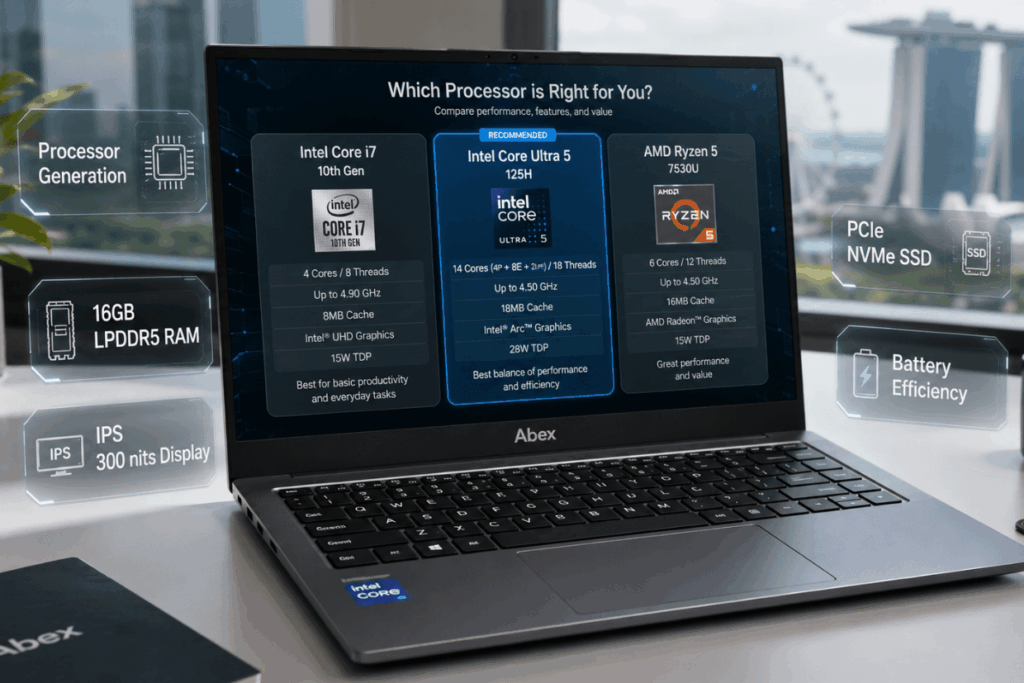
Processor Generation: Why the Year Matters More Than the Model Number
Intel and AMD naming conventions allow older chips to appear current in product listings. A product listed as an “Intel Core i7” may be two to three generations behind a current Core Ultra 5. Always cross-reference the processor model number against its release year using Intel’s ARK database. In Singapore’s 2026 market, look for Intel Core Ultra 5 series or AMD Ryzen 5 or 7 in the 7000 or 8000 series as reliable current-generation options.
RAM Type, Not Just RAM Size: LPDDR5 vs DDR4 and Why It Changes Real-World Speed
16GB DDR4 and 16GB LPDDR5 are not the same upgrade, despite sharing the same number. LPDDR5 delivers significantly higher bandwidth, which directly improves multitasking speed and integrated graphics performance. In 2026, 16GB is the minimum worth considering. 8GB is no longer sufficient for general daily use in Singapore’s multi-tab, multi-application environment.
Display Panel Type: Why IPS vs TN Matters More Than Resolution for Daily Use
“Full HD” describes resolution, not panel quality. A TN panel at 1080p has narrow viewing angles, poor colour reproduction, and causes eye fatigue during extended sessions. An IPS panel at the same resolution is meaningfully better for daily use. For Singapore’s bright indoor environments, look for a minimum of 300 nits brightness. Anti-glare coating matters for anyone working near windows.
Storage Speed: NVMe vs SATA SSD and the Performance Gap You Won’t See in Marketing
Product listings often say “SSD” without specifying the type. NVMe sequential read speeds run 3 to 7 times faster than a SATA SSD. Boot times, application launches, and file transfers are all affected. When a listing does not specify PCIe NVMe, check the product page or an independent review before assuming the drive is NVMe. Notebookcheck’s laptop reviews consistently report storage type and measured speeds.
Battery Capacity vs Battery Life: Why Watt-Hours Don’t Tell the Whole Story
A 50Wh battery in an AMD Ryzen model can outlast a 57Wh battery in an Intel equivalent on the same workload because processor efficiency affects real duration as much as raw capacity. For students and professionals moving between locations in Singapore, 50Wh is a reasonable minimum. AMD Ryzen currently delivers better battery efficiency per watt-hour at comparable performance levels in this price range.
What a $1,000 Budget Gets You by Use Case
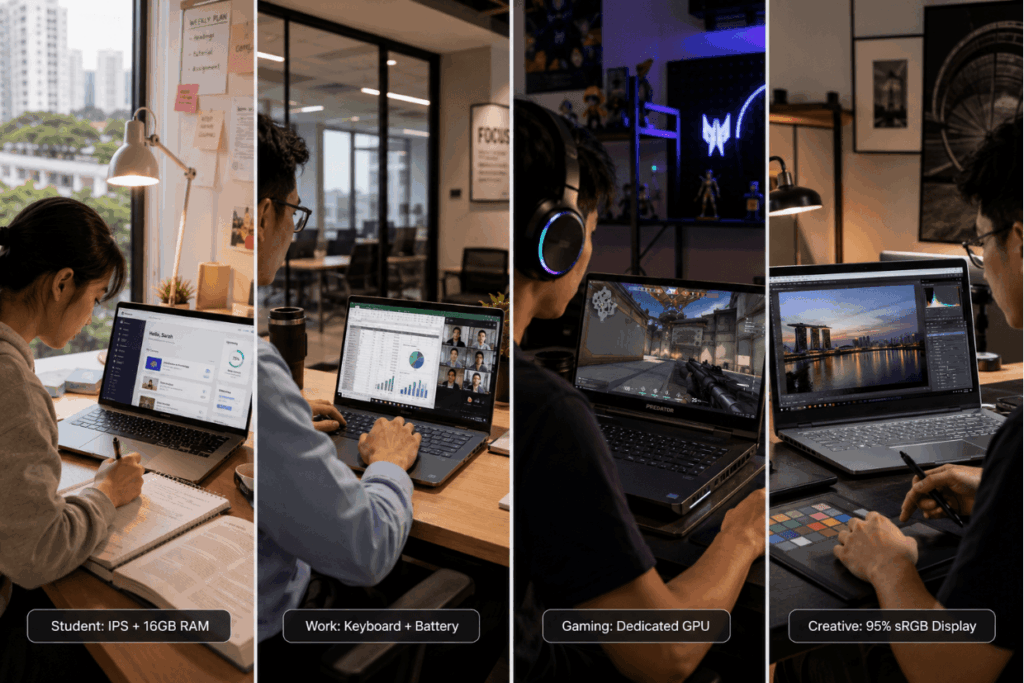
| Use Case | Prioritise | Acceptable Trade-off | Avoid |
| Student / General | IPS display, 16GB LPDDR5, NVMe SSD | Plastic chassis, integrated graphics | TN panel, SATA SSD, 8GB RAM |
| Work / Productivity | Display quality, keyboard feel, battery | Fewer ports, integrated GPU | Poor display, cramped keyboard |
| Light Gaming | Dedicated GPU, adequate chassis thickness | Heavier weight, shorter battery | Integrated only for AAA titles |
| Creative / Media | 95% sRGB IPS, 300 nits minimum | Less storage capacity | Low colour accuracy display |
For Students and General Use: What to Prioritise
The Specs That Matter Most for Study and Everyday Tasks
Display comfort matters more than any single spec for students spending four to eight hours reading and writing. An IPS panel at 300 nits minimum, combined with 16GB RAM and NVMe storage, covers every study workload Singapore students realistically face in 2026.
The Trade-Offs That Are Acceptable at This Price for Students
A plastic chassis is acceptable if the build quality is solid. Integrated graphics cover all study requirements. Absence of a Thunderbolt port is not a problem for most student workflows.
For Work and Productivity: What Distinguishes a Business-Capable Laptop Under $1,000
Display Quality and Keyboard Comfort as Primary Criteria
Professionals spending six or more hours at the screen should prioritise display quality over all other specifications. Keyboard travel, actuation, and trackpad accuracy are daily fatigue factors that spec sheets never mention, and retail comparisons rarely highlight.
What Business Features Are Realistically Available Under $1,000
Fingerprint readers and IR cameras for Windows Hello are increasingly standard at this price. MIL-SPEC durability ratings appear on select models. USB-A port availability remains a practical consideration for professionals using legacy peripherals.
For Light Gaming: What Sub-$1,000 Gaming Actually Means in 2026
What Games Run Well on Integrated Graphics in 2026
AMD Radeon integrated graphics and Intel Arc integrated graphics handle esports titles, indie games, and older AAA titles at reduced settings. Modern AAA titles at medium settings or above require dedicated hardware.
When to Consider a Dedicated GPU at This Price Point and What to Expect
NVIDIA RTX 4050 appears at the top end of Singapore’s sub-$1,000 bracket in 2026. Choosing a gaming-oriented configuration means accepting a thicker chassis, heavier weight, and noticeably shorter battery life as direct trade-offs.
For Creative and Media Use: Display and Colour Accuracy at This Budget
What sRGB Coverage and Nit Brightness to Look For
Look for at least 95% sRGB coverage for photo or video work. This figure rarely appears in product listings. Find it in an independent hardware review. DCI-P3 coverage is a meaningful step up, especially at this price.
Why a Better Display Sometimes Matters More Than More RAM for Creative Users
A creative buyer choosing between 16GB RAM with a 45% NTSC display and 16GB RAM with a 95% sRGB IPS panel should always choose the better display. Photo editing on a low-accuracy screen produces results that look different on every other device.
Red Flags to Watch When Evaluating Laptops Under $1,000 in Singapore
Older Generation Processors Dressed Up With New Marketing Labels
Check the processor model number against its launch year on Intel ARK or AMD’s specifications page. An “Intel Core i7-1255U” launched in 2022. An “Intel Core Ultra 5 125H” launched in 2024. The label “i7” does not indicate a newer or faster processor than “Ultra 5.”
SATA SSDs in Laptops That Claim High Performance
When a spec sheet lists “SSD” without specifying NVMe or PCIe, assume SATA until confirmed otherwise. Check an independent review or the manufacturer’s detailed product page before purchasing.
TN Panels in Laptops Marketed as “Full HD Displays”
“Full HD” is a resolution descriptor, not a quality indicator. Look for “IPS” explicitly in the display specification. If the panel type is not listed, find an independent display measurement review before buying.
Chassis That Cannot Sustain Their Rated Performance Under Load
A processor’s boost clock is a peak figure, not a sustained one. Check Cinebench R23 multi-core sustained performance scores in a hardware review rather than relying on manufacturer-quoted specifications.
How to Evaluate Any Sub-$1,000 Laptop Before You Buy
The Four Benchmark Tests Worth Looking Up Before Making a Decision
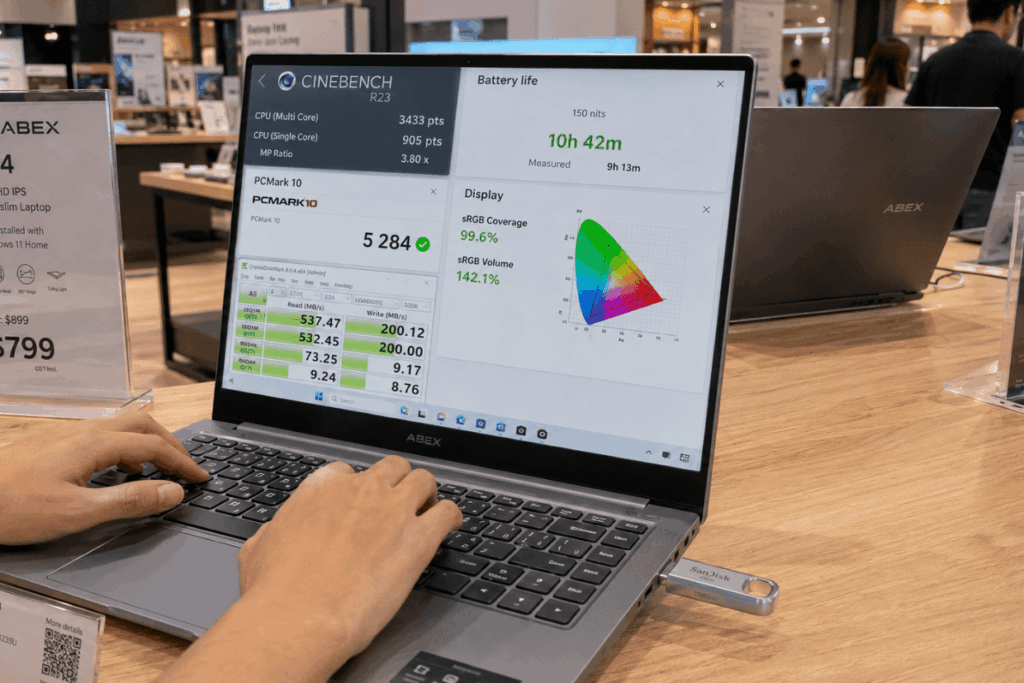
Look up the Cinebench R23 multi-core sustained score for real processor performance under workload. Check the PC Mark 10 overall score for productivity performance across realistic applications. Find battery life at 150 nits brightness from an independent review, not the manufacturer’s claimed figure. Locate display nit brightness and sRGB coverage from a calibrated hardware measurement, not the product listing.
Where to Compare and Test Laptops in Singapore Before Purchasing
Singapore’s major electronics retail locations allow physical testing. When testing in-store, open a document and type for two minutes to assess keyboard feel. Set brightness to maximum and view the screen from a 45-degree angle to assess panel quality. Bring a USB drive to test the actual storage transfer speed if the system allows.
How Abex Sub-$1,000 Laptop Range Can Serve as a Starting Shortlist
Abex is one example of a Singapore-based laptop retailer whose sub-$1,000 category lists models available locally in 2026, which can serve as a curated starting point for applying the specification and benchmark criteria above before a final purchasing decision is made.
Conclusion
The best laptop under $1,000 in Singapore is the one whose trade-offs match your actual use case, not the one with the most impressive headline spec. The five specifications that genuinely determine sub-$1,000 performance are processor generation, RAM type, display panel quality, storage technology, and battery efficiency. The most consistent buying mistakes at this price point are selecting based on RAM size while ignoring display quality, accepting SATA storage without verifying the type, and trusting processor labels without checking the launch year. Reading two independent benchmark reviews and physically assessing the display and keyboard before purchasing eliminates most sub-$1,000 buying regrets in Singapore’s 2026 market.