

Choosing a gaming laptop comes down to three decisions that matter far more than any single spec on the box: how much you want to spend, which GPU tier actually fits the games you play, and what refresh rate your genre of choice rewards. Everything else- RAM, storage, keyboard, cooling- follows from those three answers rather than driving the decision itself.
That’s the short version. The rest of this guide walks through why, and where current Abex models fit into each decision.
How to Choose a Gaming Laptop in Singapore
Start With Budget, Not Specs
It’s tempting to chase the highest specification available, but the more useful question is what tier of GPU your budget actually reaches, since GPU is the single component that determines which games run well at which settings. In Singapore, entry-level gaming laptops with a current-generation RTX GPU start around SGD 1,500, mid-range options that comfortably handle most modern titles at 1080p or 1440p sit in the SGD 1,600 to 2,000 range, and higher-tier configurations with more RAM and storage headroom run from roughly SGD 2,000 upward.
Match GPU Tier to What You Actually Play
Not every game needs the same graphics power. Competitive shooters like Valorant or Counter-Strike are relatively light on GPU demand and will run smoothly even on a mid-tier card, so the money is better spent on a higher refresh rate display for those titles. Open-world or graphically dense games, on the other hand, lean much harder on GPU horsepower, and a card like NVIDIA’s RTX 4060 will hold up noticeably better than a 4050 at higher settings [ NVIDIA GeForce RTX 40 Series Laptops]. If you’re unsure, check the recommended system requirements for the two or three games you play most before shopping, rather than assuming a higher-numbered GPU is automatically the right call for your library.
Pick Refresh Rate Based on Genre, Not Habit
A 144Hz display is the practical baseline for anyone playing fast-paced or competitive games, since the jump from 60Hz is immediately noticeable in how responsive the game feels. Refresh rates above that, such as 165Hz, offer a smaller but still real improvement mainly for players who are already competing at a high level. For slower-paced, story-driven, or strategy games, the difference matters far less, and that budget is often better spent on RAM or storage instead.
The Specs That Actually Affect Performance
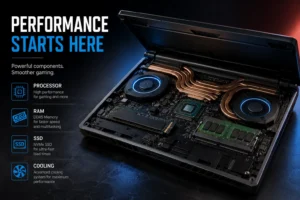
Processor and RAM. A modern Intel Core i7 or i9, or an equivalent AMD Ryzen 7, comfortably handles both gaming and the background load of streaming, Discord, and browser tabs most players run alongside a game. 16GB of RAM is the realistic minimum; 32GB or more is worth it primarily if you also stream, record, or run other demanding software while gaming.
Storage. An NVMe SSD is standard on current gaming laptops and dramatically shortens load times compared to older drive types. 512GB is a workable minimum, but modern game install sizes add up quickly, so 1TB or more avoids the recurring hassle of uninstalling titles to make room for new ones.
Cooling and build. Gaming laptops run hot under sustained load, and Singapore’s ambient humidity means good airflow around the laptop matters more here than in a drier, cooler climate. A laptop with a well-reviewed dual- or multi-fan cooling system and enough desk clearance for intake vents to breathe will sustain performance far better over a long session than one crammed into a closed bag or a bedside table.
Comparing Current Abex Gaming Laptops
The table below aligns the three current gaming models with the decisions above: budget tier, GPU, and refresh rate.
| Model | GPU / Tier | Processor | RAM (max) | Display | Price (SGD) |
| ABEX Zenith GT13 | RTX 4050, entry gaming tier | Intel Core i9 | Up to 64GB DDR5 | 16.1″ FHD, 144Hz | 1,588–2,488 |
| ABEX Zenum 7 Plus | RTX 4060, mid-tier | Intel Core i7 | Up to 64GB DDR5 | 16″ FHD, high refresh | 1,688–2,588 |
| ABEX Zenum 9 Plus | RTX 4060, mid-to-upper tier | Intel Core i9-13900H | Up to 64GB DDR5 | 16″ FHD 1920×1200, 165Hz | 1,988–2,888 |
If your budget lands in the entry tier and your library leans toward competitive, GPU-light titles, the Zenith GT13’s 144Hz panel is well-matched to that use case. If you play a mix of competitive and graphically intensive games, the Zenum 7 Plus’s RTX 4060 offers more headroom within a similar processor tier. The Zenum 9 Plus adds a faster processor and a higher 165Hz refresh rate on top of the same GPU, which suits players who are already competing seriously or who also stream or record while playing.
Keeping Performance Consistent After You Buy
A gaming laptop’s real-world performance depends on more than the spec sheet. A stable, low-latency connection matters as much as raw GPU power for online multiplayer titles, and Singapore’s ongoing broadband infrastructure investment is part of why local online gaming tends to be more consistent than in many other markets [ IMDA, Driving Singapore’s Connectivity Through Internet Speed]. On the hardware side, keeping vents clear of dust and giving the laptop open space around its intake fans will do more for sustained frame rates over time than any single software tweak. For anyone gaming in long sessions, basic posture and screen-height habits also matter more than most players expect over months of regular use [WSH Guidelines on Improving Ergonomics].
Making the Decision
Start with your budget, confirm which GPU tier best fits the games you play most, and choose a refresh rate that matches your genre rather than the highest available. Among current Abex models, the GT13 fits an entry budget with a competitive refresh rate, the Zenum 7 Plus adds GPU headroom at a similar price point, and the Zenum 9 Plus is the strongest overall option for players who want both a faster processor and the highest refresh rate available. None of these is the universally correct choice. The right one is the one that matches how you actually play, not the longest spec sheet.
For more on how Abex approaches build quality and after-sales support across its laptop range, see [ Why Abex laptops are good for you?].
FAQ
Is RTX 4060 worth the extra cost over RTX 4050 for gaming?
If you mostly play competitive, GPU-light titles, the difference is minor. If you play graphically demanding or open-world games, the RTX 4060 holds up noticeably better at higher settings.
Do I need a 165Hz display, or is 144Hz enough?
144Hz is a solid baseline for most players and is where the biggest improvement over 60Hz happens. 165Hz offers a smaller additional benefit that mainly matters for players already competing at a high level.
How much RAM do I need for gaming in 2026?
16GB is the realistic minimum for gaming alone. If you also stream, record, or run Discord and a browser alongside your game, 32GB gives more consistent performance.